Grid Maker
Category :Photo Enhancement
Size :33.3MB
Versions:v1.19.7.1
Published:11 16, 2026
Package ID: com.appxstudio.fifteensquare
Developer: ZipoApps
Votes
7.4
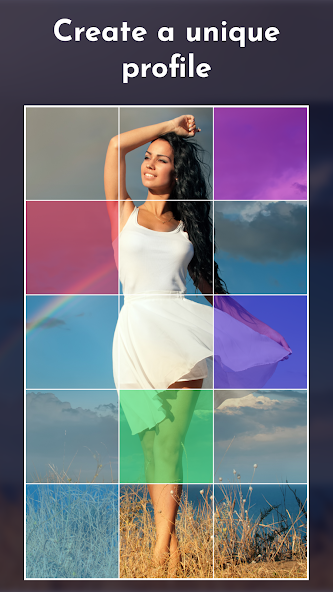
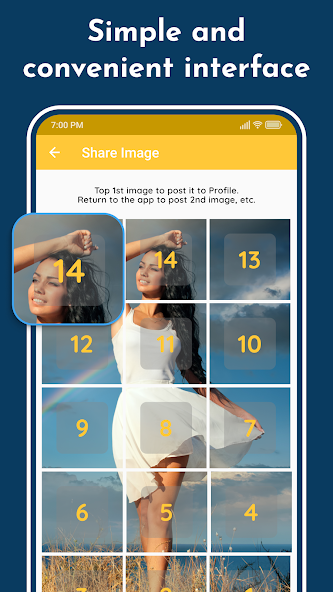
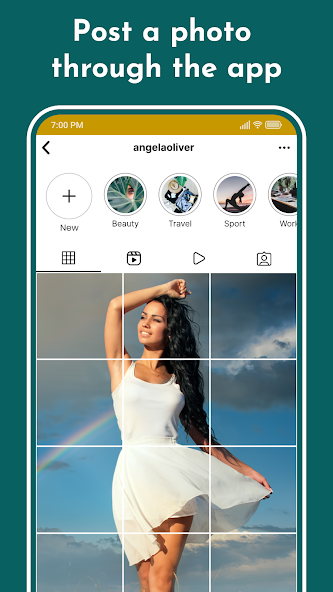
Grid Maker is an innovative Android application that stands out for its versatility and creative functionality. Offering a unique photo editing experience, Grid Maker is designed to attract Android users interested in enhancing their social media profiles by effortlessly producing eye-catching image grids. With its exceptional ability to segment large rectangular images into smaller, high-resolution square parts, it enables users to craft stunning visual displays. Ideal for social media influencers and photography enthusiasts alike, Grid Maker offers a fresh way to present images that captivate a broader audience.
Main Features and Functions
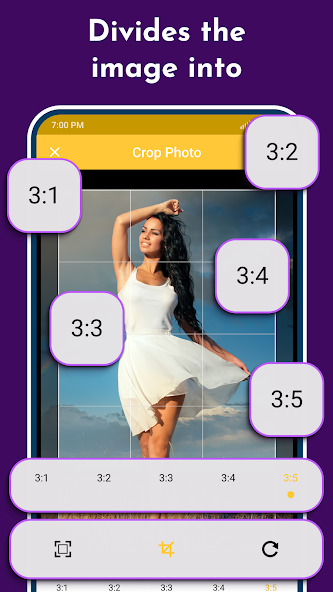
Grid Maker's core functionality revolves around its powerful image splitting capabilities. Users can easily transform their large images into a variety of grid formats such as 3x1, 3x2, 3x3, 3x4, and 3x5. This flexibility allows for the creation of dynamic photo layouts that suit personal tastes and social media requirements. Moreover, the application supports high-resolution PNG outputs, ensuring optimal image quality for every shared post.
Practical Applications
Grid Maker serves as a quintessential tool for individuals aiming to elevate their social media profiles through visually compelling presentations. By utilizing the app to break down images into strategic grid layouts, users can produce a seamless visual story across their profile feeds. Additionally, professional marketers and casual users alike find the app useful for creating promotional content that captures and retains user attention more effectively.
User Experience
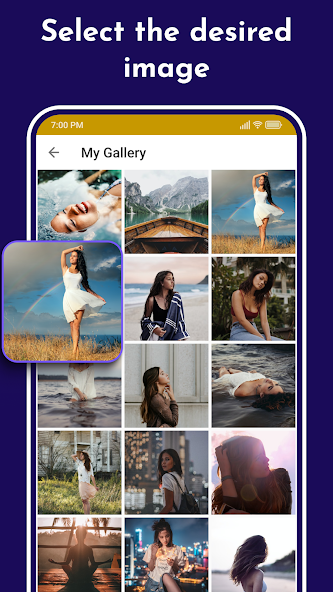
Designed with user-friendliness in mind, Grid Maker offers a straightforward and intuitive interface, allowing users to navigate through its features effortlessly. The application provides handy rotation and zoom functionalities, making precise photo cropping a simple task. Furthermore, the built-in sharing capabilities eliminate the need to save images, enabling direct upload to profiles with a few taps.
Advantages and Limitations
While Grid Maker excels in delivering high-quality image editing, a noteworthy advantage lies in its accessibility; it is free to use and effortless to navigate. Nevertheless, it requires a basic understanding of image editing principles for optimal results. As the application operates independently and isn't affiliated with external brands or apps, users can enjoy its features without additional logo distractions.
Download Guide and Conclusion
For Android users seeking a convenient tool to enhance their visual social media content, Grid Maker offers an unrivaled solution. Its capacity for generating professional-quality grids from personal photos establishes it as an indispensable tool for anyone wishing to boost their online presence. Interested users are encouraged to explore the Android download platforms for further details on obtaining this application. Its straightforward download and installation process makes it easy for users to dive into the creative possibilities that Grid Maker has to offer.
Screenshots
Explore More
Photo Mate R3
Size:129.96MB
Photo Enhancement

Stay Focused
Size:14.06MB
Photo Enhancement
GIF Maker
Size:40.84MB
Photo Enhancement

Face Me
Size:75.94MB
Photo Enhancement
Photomyne
Size:215.49MB
Photo Enhancement

Gradient
Size:189.17MB
Photo Enhancement

AI Mirror
Size:206.92MB
Photo Enhancement

PortraitAI
Size:4.36MB
Photo Enhancement
MiX Camera
Size:66.01MB
Photo Enhancement

Any do
Size:81.98MB
Photo Enhancement
XDV
Size:32.48MB
Photo Enhancement

UpNote
Size:22.69MB
Photo Enhancement
Latest News
Stardew Valley 1.7 Update Could Be Its Biggest Release Yet in 2027
10 28, 2026Nintendo Reveals Why Ocarina of Time Remake Has a Puppet-Like Style
10 28, 2026id Software and MachineGames Strengthen Collaboration Amid Staff Cuts
10 28, 2026Phantom Blade Zero Hits 830K Concurrent Steam Players in First Week
10 24, 2026