Photo Mate R3
Category :Photo Enhancement
Size :129.96MB
Versions:v4.3.0
Published:11 23, 2026
Package ID: com.tssystems.photomate3
Developer: TS Systems
Votes
6.1
For those seeking an advanced photo editing solution on their Android device, Photo Mate R3 stands out as an all-in-one application. It offers robust image management, organization, and non-destructive raw-editing capabilities, making it appealing to both amateur photographers and professionals. Users will appreciate its extensive compatibility with various file formats, such as jpg, png, and a range of raw files including Canon, Nikon, and Sony. With its ability to handle intricate editing tasks right from your Android device, Photo Mate R3 is perfect for those looking to refine their photography skills on the go.
Comprehensive Image Organization
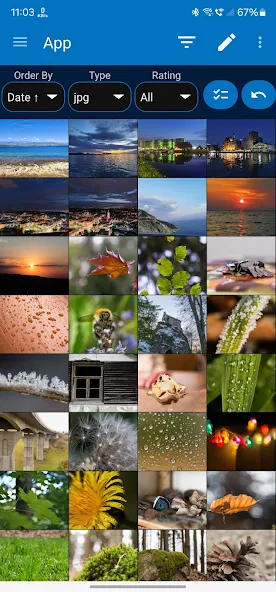
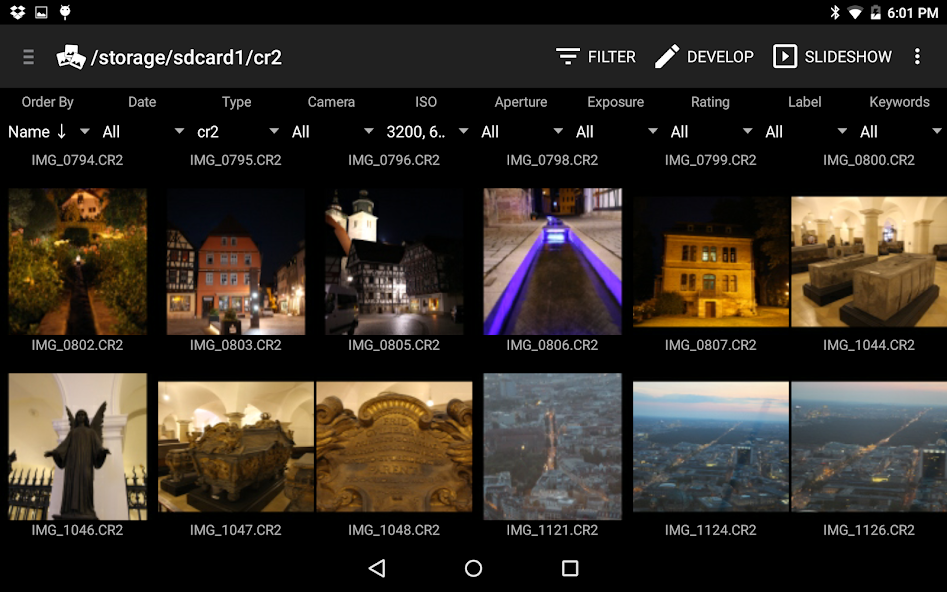
Photo Mate R3 takes image organization to the next level. It provides a dynamic library where users can sort and filter files using metadata such as camera type, aperture, and ISO settings. This makes locating specific images effortless. Further enhance your organization by applying ratings, labels, and keywords, all of which generate XMP-Sidefiles compatible with desktop programs.
Advanced Viewing and Comparison Tools
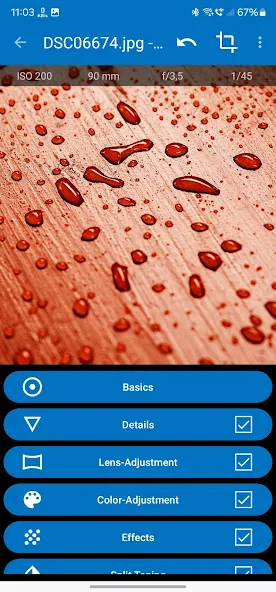
The application offers rich viewing capabilities, allowing photographers to analyze images with all relevant exif data in view. You can also compare images side-by-side to choose the best shots, a feature particularly useful for meticulous image selection. Support for a wide variety of formats ensures seamless performance regardless of your camera's output.
Non-Destructive Editing Options
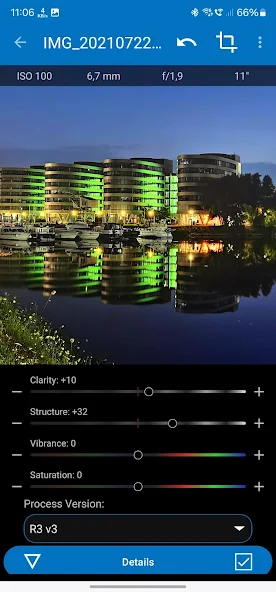
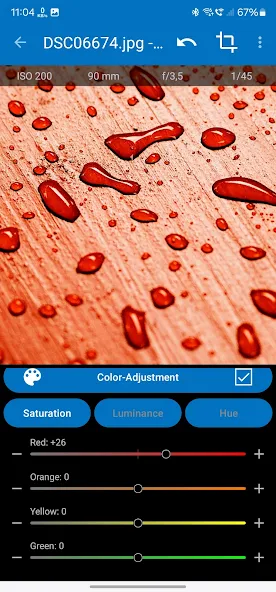
With Photo Mate R3, users can engage in non-destructive editing of raw formats such as cr2, nef, arw, and more. The app provides full control over settings such as white balance and exposure, alongside common editing tools for adjusting exposure, contrast, and clarity. Specialized adjustments, like lens corrections for distortion, vignetting, and chromatic aberration, are also available, enhancing the user’s ability to perfect each image.
Additional Features and Tools
Beyond editing and organizing, Photo Mate R3 provides a host of other features including image printing, network access for image import, and options for stacking or combining images. Batch conversion and editing allow for efficiency when working with large numbers of images, and layer-based adjustments enable precise image fine-tuning.
Final Thoughts on Photo Mate R3
In summary, Photo Mate R3 is a comprehensive tool for Android users looking to manage and edit photos directly from their devices. Its varied features cater to different levels of photography skills, making it an excellent choice for those interested in mobile photo editing. For anyone eager to delve into the world of mobile photography, Photo Mate R3 offers a robust and flexible platform. Interested users can readily explore the app by downloading the APK from reliable sources.
Screenshots
Hot Topics
Explore More

Stay Focused
Size:14.06MB
Photo Enhancement

GIF Maker
Size:40.84MB
Photo Enhancement

Face Me
Size:75.94MB
Photo Enhancement

Photomyne
Size:215.49MB
Photo Enhancement

Gradient
Size:189.17MB
Photo Enhancement

AI Mirror
Size:206.92MB
Photo Enhancement

PortraitAI
Size:4.36MB
Photo Enhancement
MiX Camera
Size:66.01MB
Photo Enhancement

Any do
Size:81.98MB
Photo Enhancement
XDV
Size:32.48MB
Photo Enhancement

UpNote
Size:22.69MB
Photo Enhancement

SnapEdit
Size:109.07MB
Photo Enhancement
Latest News
Stardew Valley 1.7 Update Could Be Its Biggest Release Yet in 2027
10 28, 2026Nintendo Reveals Why Ocarina of Time Remake Has a Puppet-Like Style
10 28, 2026id Software and MachineGames Strengthen Collaboration Amid Staff Cuts
10 28, 2026Phantom Blade Zero Hits 830K Concurrent Steam Players in First Week
10 24, 2026