Bluric
Category :Theme Wallpapers
Size :25.94MB
Versions:v1.2.7
Published:11 21, 2026
Package ID: com.indigomadina.bluric
Developer: Indigo Madina
Votes
6.9
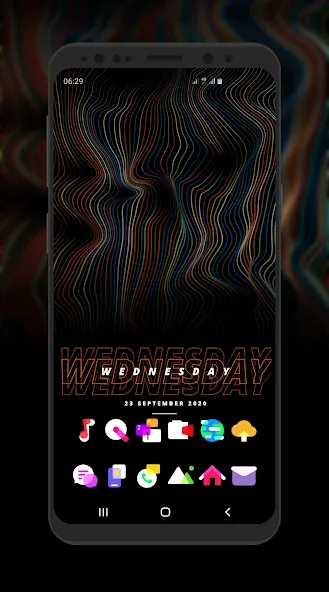
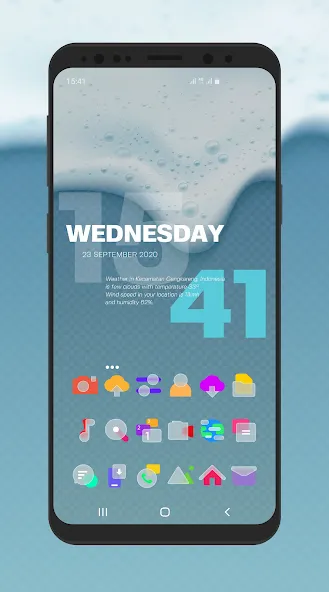
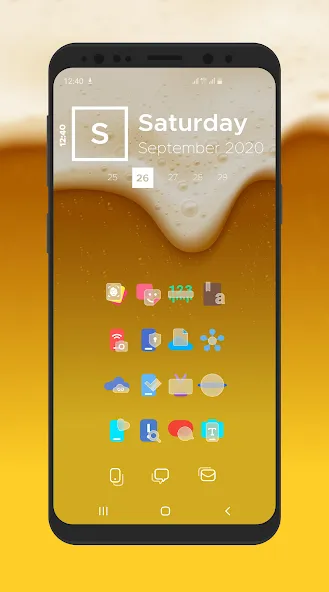
Experience a fresh, minimalist approach to your Android interface with Bluric, an Android application icon pack that aims to elevate your home screen aesthetics. Designed for users who appreciate elegantly crafted visual elements, Bluric provides a set of vector-based icons in pristine XXXHDPI quality. This app offers a collection of sleek icons and a range of cloud wallpapers, enhancing your device’s interface and providing you with personalized customization options. Whether you are seeking a modern look or simply wishing to refresh your home screen style, Bluric is a compelling option for Android users looking to customize their smartphone experience.
Main Features of Bluric
Bluric stands out with its attention to detail and visual clarity. The app's high-quality XXXHDPI (256px) icons ensure sharp, crisp visuals on any screen. By offering dynamic calendar support, it also enables your calendar icons to adjust automatically, ensuring your home screen looks current and engaging. Users can easily request additional icons using the Icon Request Tool, maintaining the icon pack's relevance and compatibility with a wide range of apps.
Seamless Application Usage
For those keen on customizing their Android devices, Bluric requires a compatible launcher, such as Nova or Apex, to apply its theme seamlessly. Once integrated, users can enjoy a cohesive and stylish appearance across their applications. The package's frequent updates mean you can consistently enhance and refresh your device's appearance with the latest icon designs.
Personalization and Updates
The appeal of Bluric lies in its ability to personalize Android devices with minimal effort. The cloud wallpapers offer additional customization, syncing with your icons to create a harmonious visual theme. Because Bluric is in its Beta phase, users can anticipate regular additions and improvements, ensuring that the app evolves alongside their tastes and needs. The developer's commitment to updates promises a steady expansion of icon choices and feature enhancements.
Getting Started with Bluric
Downloading and installing Bluric is both easy and accessible; interested users can acquire the APK from platforms like Apkmody. For the installation, simply enable the "Unknown Sources" option on your Android device and proceed with the download. Once installed, importing Bluric’s icons and wallpapers begins a new journey of personalizing your device, reflecting your style through your smartphone's interface.
Conclusion: Tailor Your Android Experience
Bluric offers Android users an effective way to inject personality and style into their devices. With its impressive array of visually appealing icons and the promise of continuous updates, Bluric is ideal for those who value aesthetic customization. If you're ready to transform your device's visual experience, consider downloading Bluric from your preferred APK platform and explore a new level of personalization and style on your Android smartphone.
Screenshots
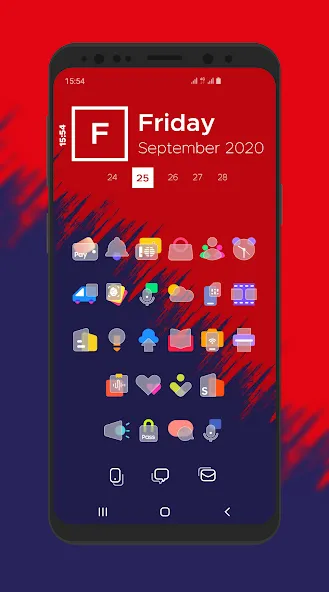
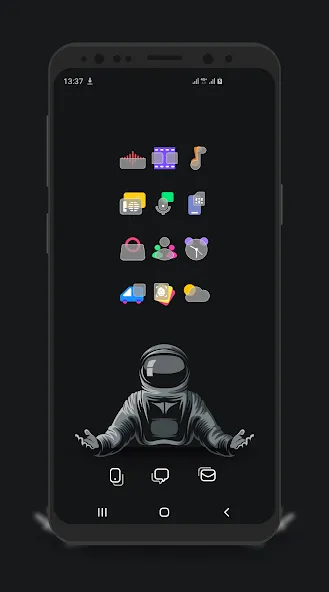
Hot Topics
Explore More

Facemoji Keyboard
Size:57.92MB
Theme Wallpapers
Video Live Wallpaper
Size:16.39MB
Theme Wallpapers

Sticker Maker
Size:20.04MB
Theme Wallpapers

Halloween Girl Costume
Size:107.04MB
Theme Wallpapers
NotifyBuddy
Size:8.8MB
Theme Wallpapers
Keys Cafe
Size:41.88MB
Theme Wallpapers

Spheroid
Size:128.32MB
Theme Wallpapers
One S Launcher
Size:25.5MB
Theme Wallpapers
Wallfever
Size:7.31MB
Theme Wallpapers
Alpha Prime
Size:12.67MB
Theme Wallpapers
Launcher OS
Size:130.01MB
Theme Wallpapers

TeamPixel
Size:12.59MB
Theme Wallpapers
Latest News
Stardew Valley 1.7 Update Could Be Its Biggest Release Yet in 2027
10 28, 2026Nintendo Reveals Why Ocarina of Time Remake Has a Puppet-Like Style
10 28, 2026id Software and MachineGames Strengthen Collaboration Amid Staff Cuts
10 28, 2026Phantom Blade Zero Hits 830K Concurrent Steam Players in First Week
10 24, 2026